Resources
Disease Management

Webinar: PicnicHealth's PNH Research Study

By 
The PicnicHealth Community Team

Jul 20, 2022 • 3 min read

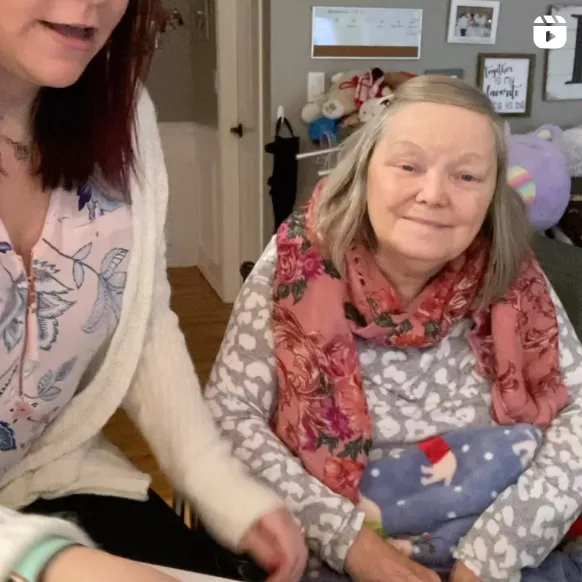
This is a recording of a live webinar, hosted on July 19, 2022 by PicnicHealth. This webinar features PNH Expert, Dr. Jeffrey Pu, PNH Patient Advocate, Erin Fortin, and PicnicHealth’s Chief Medical Officer, Dr. Dan Drozd.Topics covered:

  • A live demo of our digital tool for organizing and sharing all your medical records
  • How we protect your data and help you contribute to real-world research from home
  • How Erin’s care has transformed since accessing her entire medical history

{{pnh-webinar}}

We know that every person's story is unique and deserves to be heard.

Join our early breast cancer registry to be counted and share your story with research.

Learn More

Create a List

List the names of all the doctors, hospitals, and other facilities your loved one visits regularly, along with those they have visited in the past. Try to go back as far as you can, striving for at least the last 5-10 years, but do your best. Even if you can’t remember them all, having a strong baseline can help you quickly identify gaps in records.

Ensure You Have the Appropriate Legal Status

It is important to make sure that you are fully empowered to make decisions on behalf of your loved one with Alzheimer’s. Your relationship status with the patient may not be enough to legally give you access to your loved one's medical information. It is a good idea to talk to an expert about securing special legal status, such as Power of Attorney (POA), a legal document that allows an individual to name someone as their decision maker should they no longer be able to make decisions on their own.

Gather and Organize the Medical Records in One Place

It’s important to have all of your loved one’s medical records together in one spot. This makes it much easier for you and your loved one’s physicians to accurately map the patient’s medical journey and more easily share information between doctors. Fortunately, tools exist to make record management and access simple. A free resource like PicnicHealth helps you collect and organize all of this information. PicnicHealth’s intuitive timeline allows you to pinpoint data across the medical history, eliminating your need for keeping heavy binders filled with paper records or keeping track of multiple software portal logins.

Review the Medical Records to be an Informed Advocate

The better you understand your loved one's medical history, the better you can advocate on their behalf. Access and understanding of this information will help you to ask informed questions with physicians. Through regular communication backed by the data in the medical records, you can help your loved one’s care team develop a more successful care plan.

Learn more about PicnicHealth’s commitment to the Alzheimer’s community and the Alzheimer’s Association

Learn More

Together, we can make a difference.

Learn more about PicnicHealth’s commitment to the Alzheimer’s community and the Alzheimer’s Association

Learn More

1. Build a support network.

When you’re juggling appointment times and insurance claims, putting a robust support system together might not strike you as the most urgent task. Investing the time to cultivate relationships with people can turn to in times of need will pay dividends. The next time you need a last-minute ride or just someone to listen, you won’t be on your own.

There are many condition-specific support groups and support groups for caregivers generally in person or online. In addition to the encouragement and empathy they provide, support groups can be a helpful source of tips, resources, and recommendations for navigating caregiving.

2. Stay organized.

The backbone of effective caregiving is organization. Keep medical information, appointment schedules, and medication lists in order. Use a planner or a digital service like PicnicHealth to stay on top of your responsibilities. This attention to detail can prevent future complications and reduce day-to-day stress.

3. Explore treatments and clinical trials.

We’ve seen incredible breakthroughs in treatment over the past couple of years, powered by patients and their caregivers participating in research. Stay in the loop about the latest in medical advancements and available resources that could benefit your loved one. Whether it’s a new therapy option or a community service that aids independence, being informed can make a world of difference in the quality of care you provide.

4. Make time for self-care.

It may seem self-centered to focus on self-care—but when you feel good, you can be a better caregiver. Whether it’s exercise, a mindfulness practice, a soak in the bath, or just time to rest when you need it, carve out those moments in the day when you can unwind, reset, and stay healthy mentally and physically. Think of it as building up your reserves of kindness, patience, and understanding—which can only benefit your loved one. No one can pour from an empty cup.

Having trouble managing your loved one's medical records?

Easily manage all of your loved one's medical records and contribute to ongoing Alzheimer's research with PicnicHealth.

Learn More

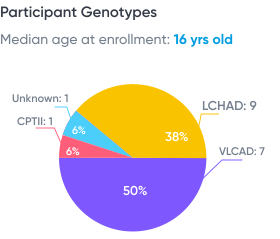
LC-FAOD Odyssey: A Preliminary Analysis, presented at INFORM 2021

Data from real-world medical records:

(from 13 patients with LC-FAOD)

16 yrs old

Median age at enrollment

38% Female

15 providers / patient

7.5 years of data / patient

Data from patient-reported outcome (PRO) survey

(from 13 patients with LC-FAOD)
We hope you found this session informative! Sign up for PicnicHealth’s Alzheimer’s research program below.

Join Now
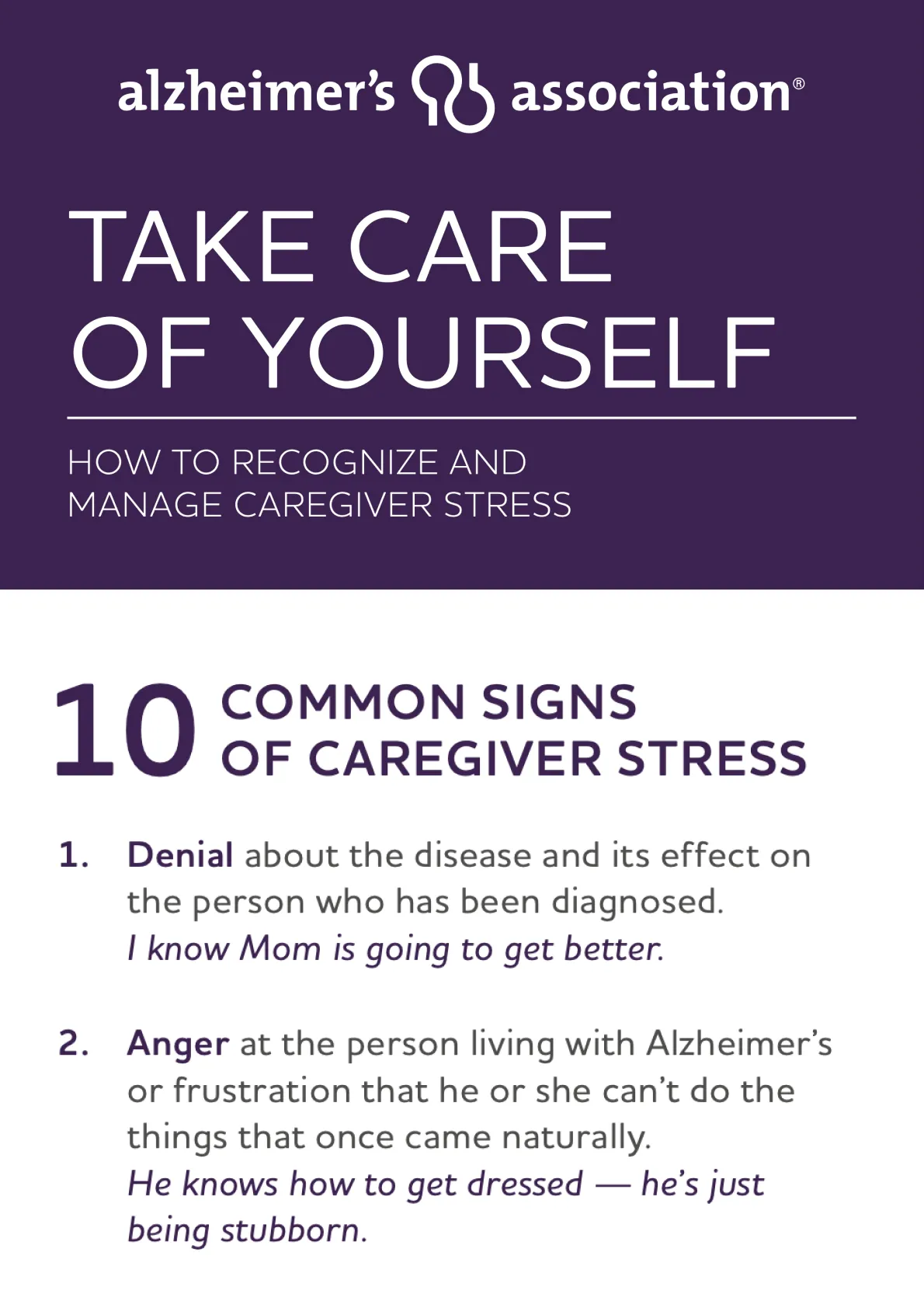
Tip: Download or print the poster at the end of this article to review before your next appointment!
However, it's important to consult with a healthcare provider or registered dietitian to determine the appropriate amount of protein for your individual needs. In general, a diet with moderate protein intake (about 0.8 grams per kilogram of body weight per day) is recommended for people with kidney diseases.
Learn more about contributing to IgAN research with PicnicHealth. 

Learn More

Save The Top-10 List

Download this list to save onto your phone or print it out for your fridge!

Download PDF

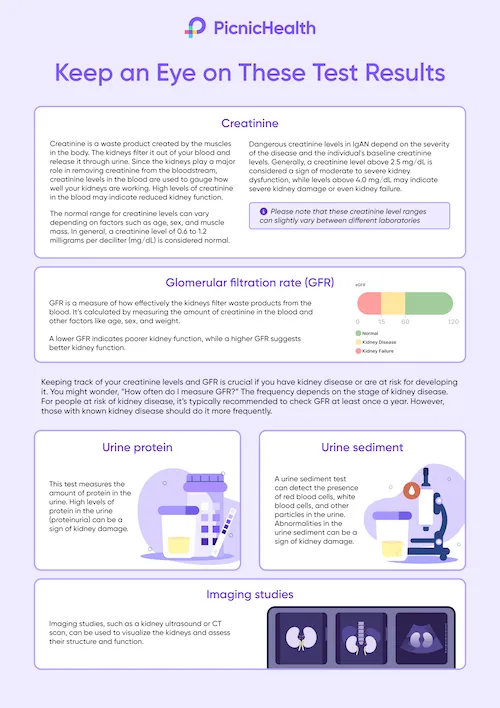
Keep an Eye on These Test Results

Download this poster to save onto your phone or print it out for your fridge!

Download PDF

Resource Flyer

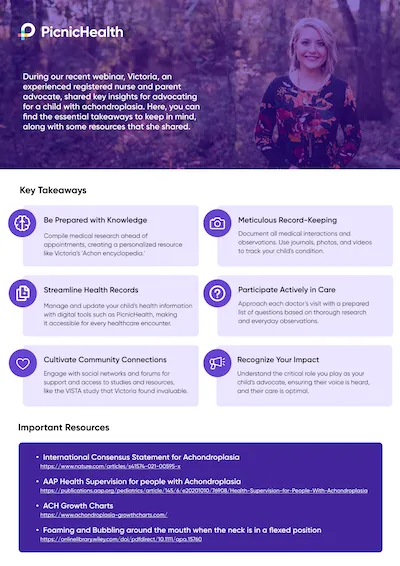
Explore the essential takeaways from Victoria's Webinar, along with some resources that she shared.

Download PDF

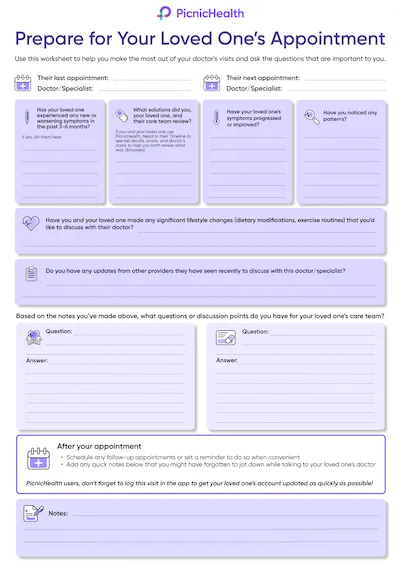
Pre-Appointment Worksheet

Prepare for your loved one's next appointment

Download PDF
A tablet, phone, or laptop with a working camera, microphone, and stable internet connection.
A quiet, distraction-free area with enough space to walk a few steps if applicable.
A chair that you can use during any movements or tasks you’ll be asked to perform.
The tripod mailed to you via Amazon.

What to Expect

Before your video call:

Book Your Assessment
Visit your to-do list on your PicnicHealth Research Dashboard or click the scheduling link sent to your email. Note: Search for “New task for the ORBIT-CIDP Study" to find the video call scheduling link.
Receive Confirmation
Check your email for a confirmation with your scheduled video call time and instructions.

On the day of your video call:

Click on Video Link
Join your personal video call using the link we sent by email, or text message, or find it on your research dashboard.
Meet your nurse
A Registered Nurse (RN) will guide your virtual assessment, which will last about 30 minutes.
Complete the Physical Activity Assessment (INCAT)
The nurse will guide you through questions and, if needed, physical tasks to help researchers gain a deeper understanding of CIDP.
Complete the Movement Assessment (Optional)
If you participate, a nurse will guide you through three short recorded movement activities to complete as best you can:
Chair Task
While seated with your arms crossed over your chest and hands on oppositeshoulders, you’ll be asked to stand up, remain standing for 20 seconds, and then sit back down.
Arm Movement Task
While seated with your arms resting at your sides, you’ll be asked to raise both arms out to the sides until they meet above your head, then lower them back to your lap.
Finger Dexterity Task
While seated, raise your right hand with fingers extended. Touch your thumb to each fingertip in order, then reverse. Repeat with your left hand. This will then be repeated with your left hand.
Earn Compensation

Receive up to $55 for your participation:

  • $25 for completing the Physical Activity Assessment (INCAT).
  • $30 for the Optional Movement Assessment.
Recording: Your research assessment may be recorded to ensure accurate data collection. If you participate in the optional Movement Assessment, it will also be recorded. These recordings may capture your voice and responses, but identifiable information like your face, name, or background will be removed to protect your privacy.
Opt Into the Smart Insole Study Activity
Complete the opt-in survey to confirm your participation.
Receive Your Smart Insoles
Your smart insoles will be shipped to your home via FedEx and should arrive within 1 week.
Create Your Account

You’ll receive an email from Celestra Health with your account details. Follow those steps to set up your account.

  • If you don’t see an email from Celestra Health in your inbox, please check your spam or junk folder.
Download the App
After creating your account, you’ll be directed to a landing page with links to the App Store or Google Play. Use the link to download the correct version of the app for your device.
For illustrative purposes only, your insoles may look different
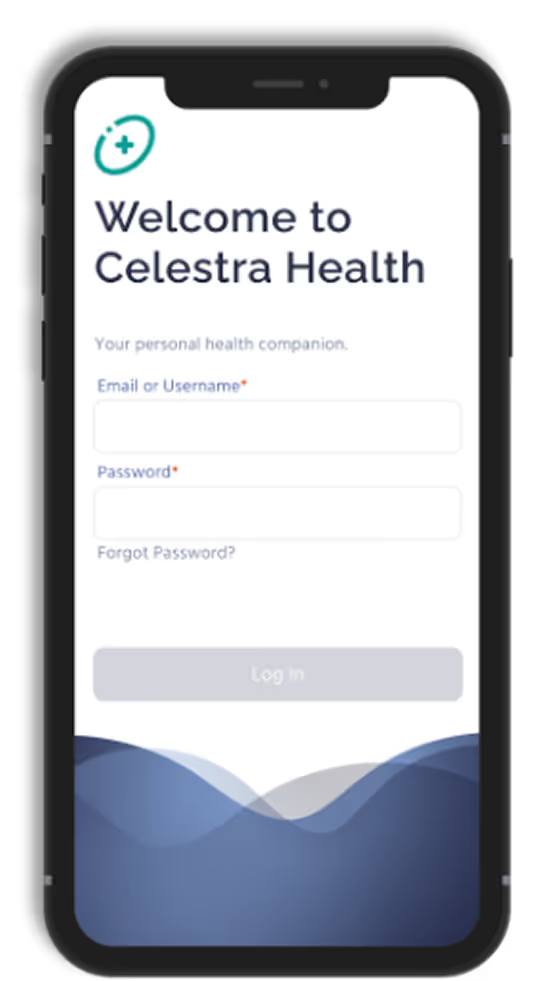
Log In
Open the app and log in using the email address and password you used when creating your account.
Enable Permissions
  • For iOS users: Enable Motion & Fitness and allow access to Apple Health.
  • For Android users: Enable Activity Recognition permissions.
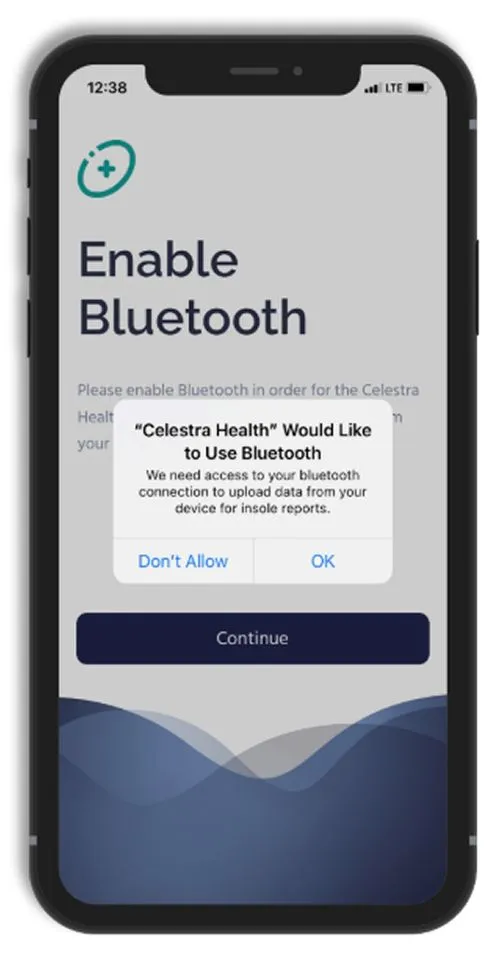
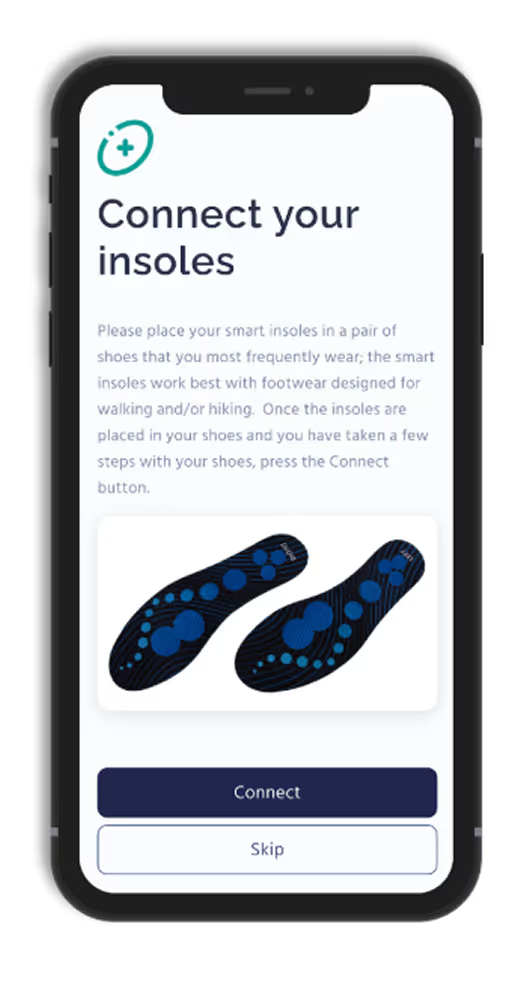
Connect Your Insoles
Turn on Bluetooth, and follow the app's instructions to connect your smart insoles.
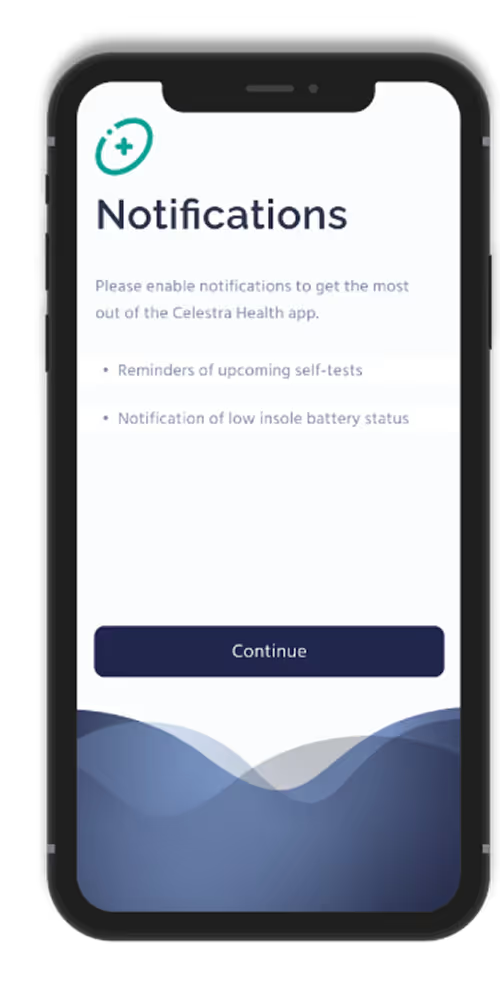
Enable Notifications
Enable push notifications to stay updated on reminders and activity progress.
For illustrative purposes only, your insoles may look different
Start Walking Sessions
When you’re ready to perform a walking session, tap ‘Start’ on the Ad Hoc Walking task card in the app.
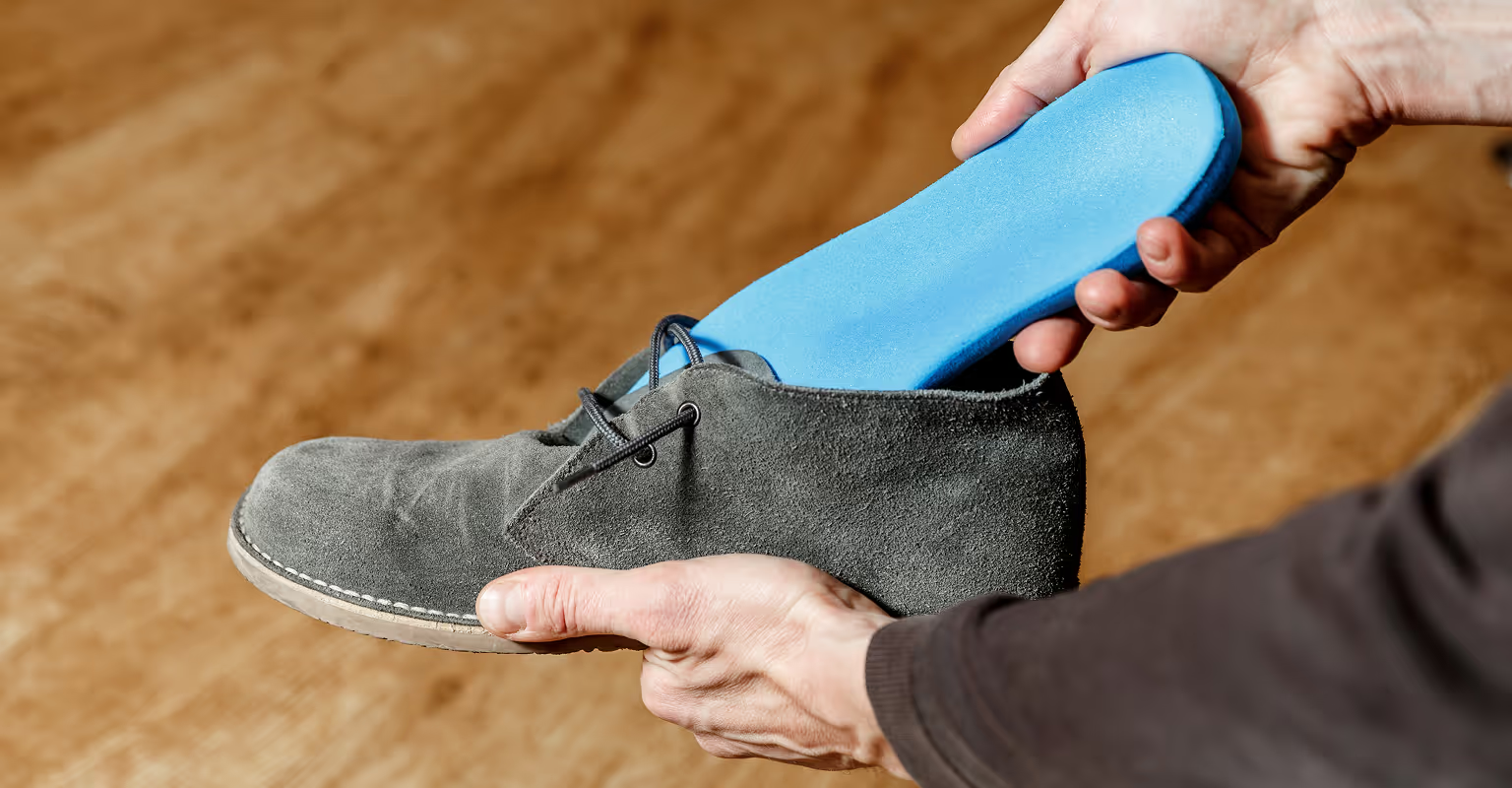
Smart insoles are designed to fit comfortably into any pair of closed shoes
Need Help?
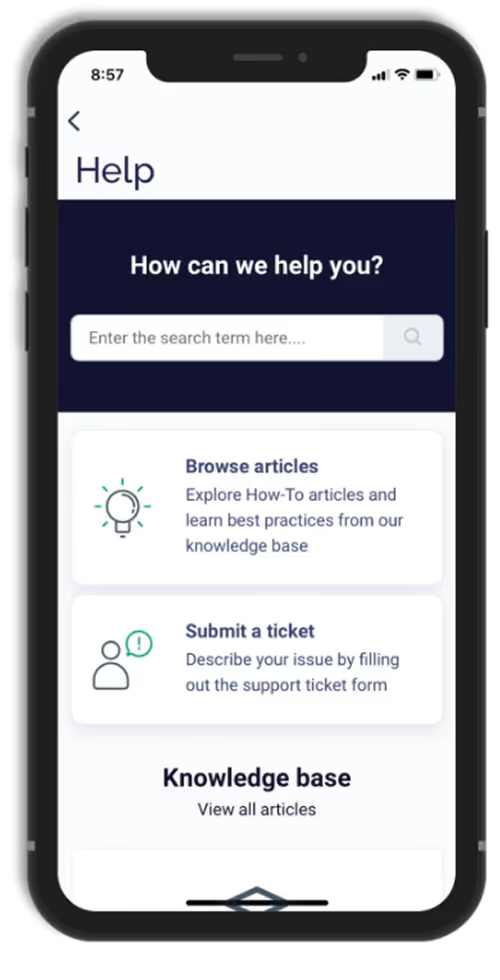
Should you need to contact Celestra Health support for any reason, you can submit a ticket through the Help section of the app by tapping the Submit A Ticket card and filling out the form. A Celestra Health representative will typically respond within one business day.
A fully charged device (smartphone, tablet, or laptop) with a working camera, microphone, and stable internet connection.
A quiet, well-lit space that is free from distractions.
Good lighting so your face is clearly visible; having a small flashlight or your phone’s flashlight nearby can help with skin, scalp, or joint checks.
Flexible device positioning so you can easily adjust or prop up your device hands-free if the research staff asks to view specific areas (such as your face, hands, or scalp).
Space to move in case you are briefly asked to stand or walk a few steps.
Your medication information, including your current steroid(s) and BENLYSTA® (belimumab) — either the medication bottles or a list with doses and schedule.
Time to focus without interruptions so the visit can be completed comfortably.
Before Your Video Call:
Schedule your visit
Use the scheduling link on your PicnicHealth Research Dashboard or the link sent to your email.
Tip: Search your inbox for “New task for the BEACON-SLE Study - schedule your remote visit” to find the scheduling email.
Check your confirmation
You’ll receive an email with your appointment time and instructions for joining the video call.
On the Day of Your Video Call:
Join the call
Click the Zoom link sent to you by email or text message, or use the link available on your research dashboard.
Meet with the research staff member
  • They will ask you structured questions about your health and any lupus symptoms you’ve experienced over the past 30 days.
  • If needed, they may guide you through a few simple visual checks (such as looking at your skin, hair, joints, or mouth). You can always tell them if you’re not comfortable with anything.
Receive Compensation
You’ll receive up to $60 for completing your visit.
See More

Related Articles

View All

Take control of your care.

Understand your health clearly. Walk into every appointment prepared.